Mission
What the session was meant to accomplish.
lattice
Command Center
Run Claude Code and Codex sessions in a local workspace that surfaces each session's mission, current aim, and a timeline of key events — so long-running agent runs stay easy to follow.
Same CLI underneath. Lattice adds structure, visibility, and a review layer on top.
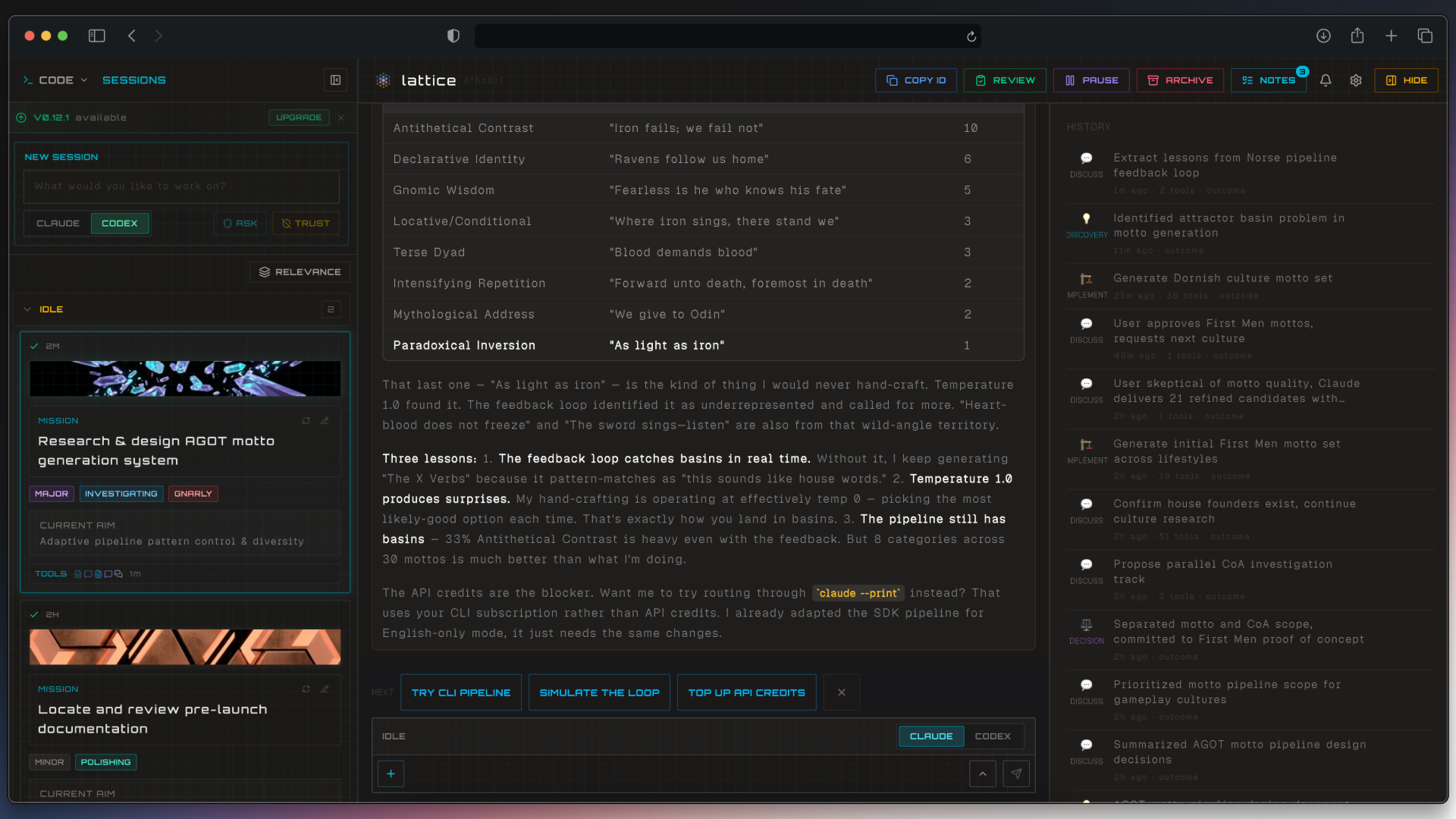
Live session view with the history panel open.
The Problem
Running coding agents in the terminal works well at first. But once sessions get longer or you have multiple runs going, it becomes difficult to stay oriented.
You end up with:
Returning to a session later often means reconstructing what happened from the conversation.
Structured Sessions
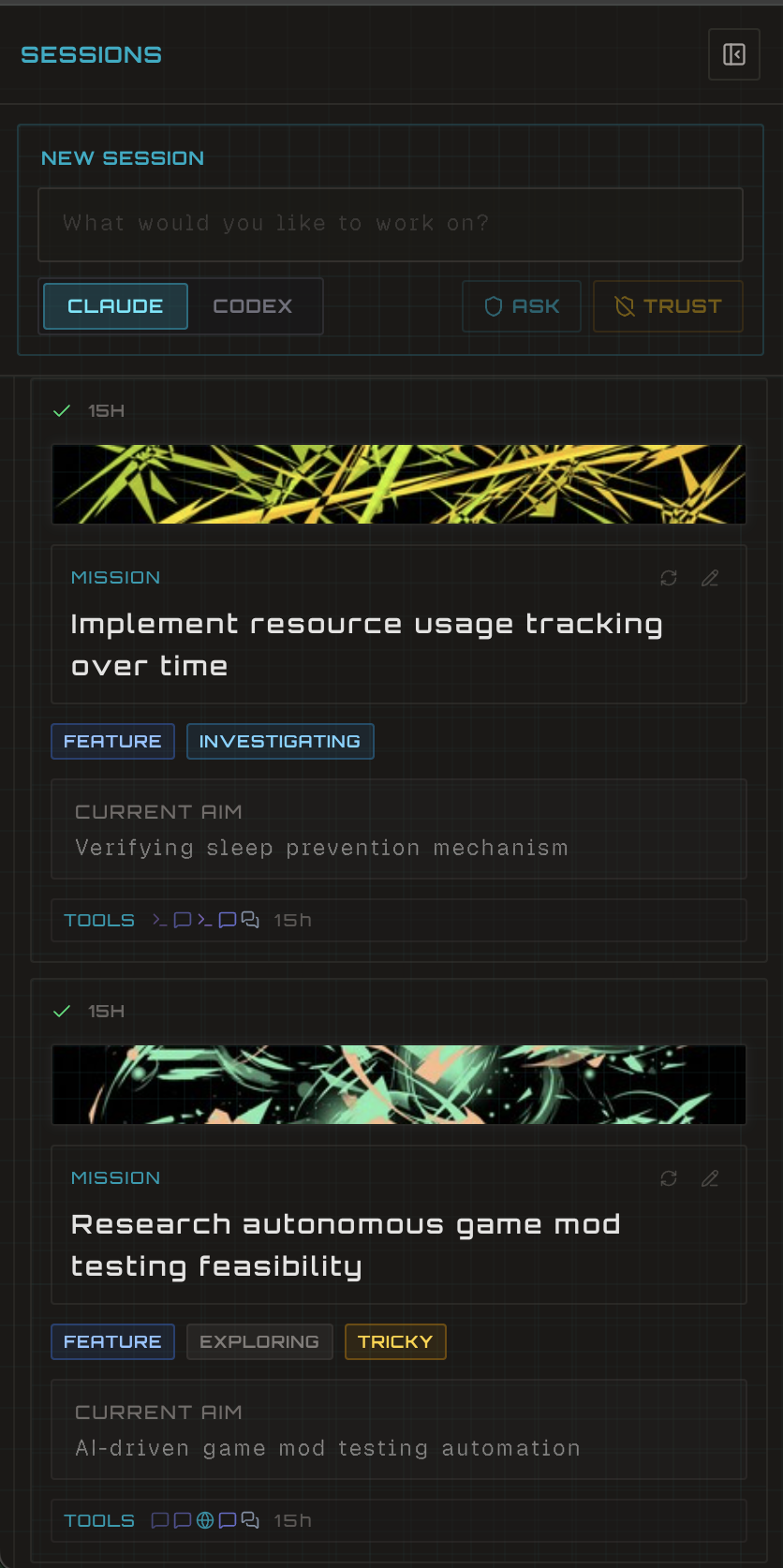
As a session runs, Lattice extracts structure from the conversation and tool activity. Each session gets a clear overview:
Mission
What the session was meant to accomplish.
Current Aim
If the agent pivots, the current focus updates automatically.
Tags
Scope, complexity, and work type help you quickly understand what kind of session it is.
Because each session has structure, you can run several agents in parallel and still stay oriented — glance at the sidebar and immediately see what every session is doing.
Timeline
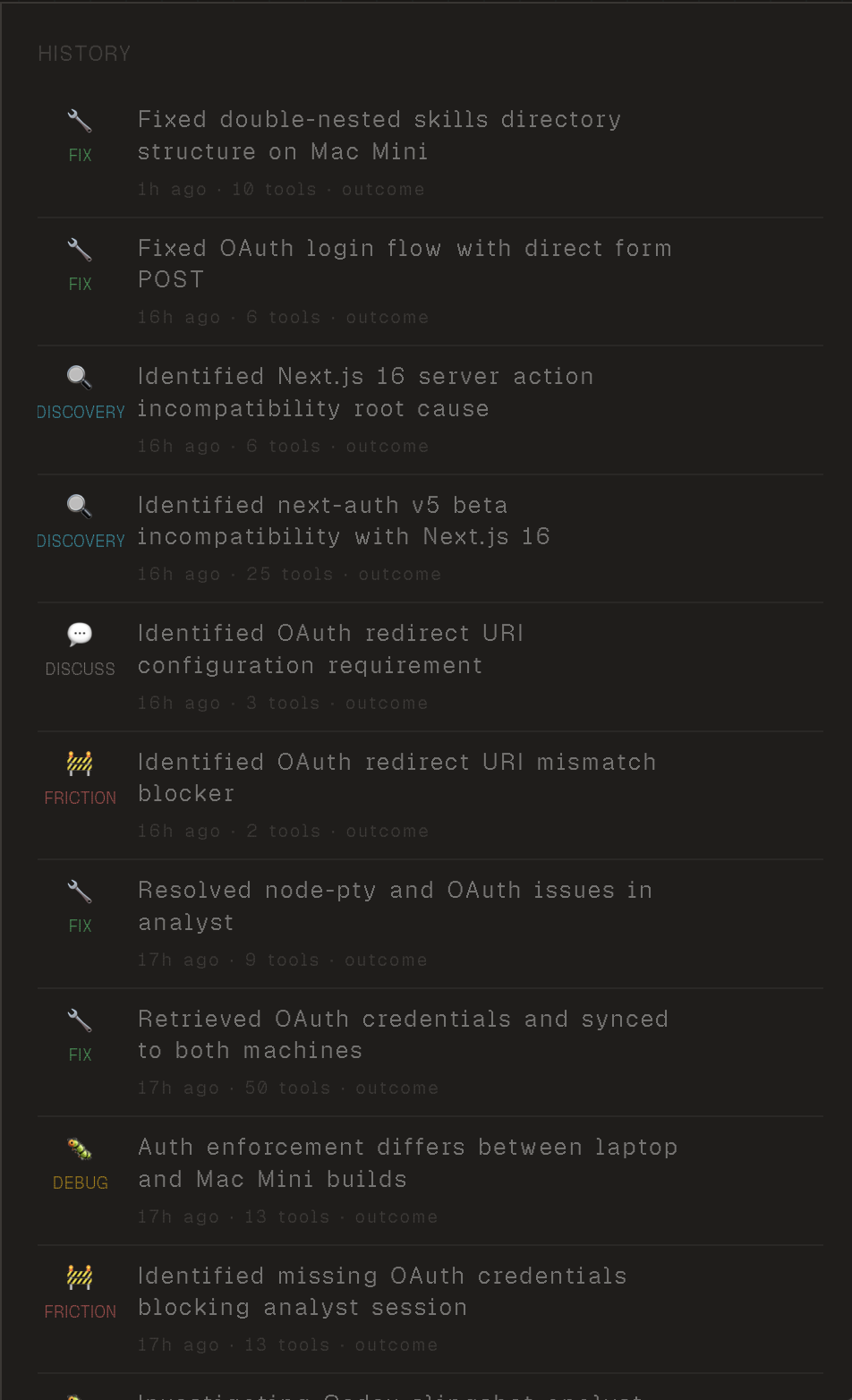
Every meaningful turn in the session is captured and summarized. Instead of reading hundreds of lines of conversation, you see the key steps:
Each step shows what happened, when it happened, how many tools were used, and the outcome.
Improve Over Time
After a session completes, Lattice can review the run and suggest improvements:
Each session becomes input for the next one.
How It Works
Lattice runs as a local daemon that manages agent processes while the web interface remains stateless. This means:
Get Started
npm install -g lattice-orchestrator
cd ~/projects && lattice
Run it from your projects root — Lattice manages sessions across all your repos.
Requires Node 22+ and Claude Code CLI. Codex CLI optional.
Pricing
Free
$0/mo
For getting started with Lattice.
Pro
$19/mo
Everything in Free, plus Lattice learns how you work.